
Blog
Wiring CCTV System Guide for Manchester Homes & Outdoor Coverage

A practical UK-focused guide to wiring CCTV systems that helps trade installers plan routes, choose IP PoE vs coax, avoid common faults, and deliver reliable home and outdoor coverage.
- Plan the wiring cctv system before site work: map camera positions, entry points, cable routes, and a serviceable recorder location—then build in expansion with spare channels, draw wire, and space for future kit.
- Choose IP PoE vs HD coax based on the property and disruption level: PoE simplifies power/data on new runs, while coax can be ideal for upgrades using good existing cabling in finished homes with solid walls.
- Spec for reliability, not just resolution: confirm PoE/PSU budgets, ventilation and secure NVR/DVR placement, storage for retention needs, and night performance (IR vs white light) to reduce call-backs.
- Use a repeatable install workflow: first fix (clean, accessible routes), second fix (consistent mounting/termination and clear labelling), then methodical commissioning (NTP/time, motion zones, playback tests).
- For an outdoor wired cctv camera system, weatherproofing is decisive: UV-rated cable, IP-rated junction boxes and correct glands, sealed building entries with drip loops, and cable protection that’s durable, neat, and serviceable.
If you want a wiring CCTV system that installs cleanly and stays fault-free, focus on these fundamentals first:
- Plan routes and recorder location first: choose a secure, ventilated home-run point and map cable paths before you buy kit or drill.
- Pick IP PoE vs coax based on the building: PoE suits fresh runs and modular upgrades; coax can be ideal when reusing good existing cable.
- Run continuous, serviceable cabling: avoid hidden joins, label every run, and keep access practical for future fault-finding.
- Terminate and power correctly: consistent pin-outs, proper bend radius/strain relief, and honest PoE/PSU sizing prevent dropouts.
- Weatherproof external entries properly: UV-rated cable, IP-rated boxes/glands, and sealed entry points prevent water ingress call-backs.
These five points cover most long-term reliability issues and make upgrades and troubleshooting far quicker on real Manchester domestic jobs.
Getting a wiring CCTV system right starts long before the drill comes out. For trade installers, most call-backs aren’t caused by “bad cameras” but by rushed routing decisions, awkward recorder placement, inconsistent terminations, or outdoor entries that later let moisture in. In Manchester homes, especially retrofits with solid brick walls, lofts, and mixed construction, you’ll save hours by designing around the building you’re actually working with, not an idealised plan. This guide focuses on dependable, repeatable methods that protect your margins and your reputation, while keeping upgrades and service access straightforward. As a UK distributor with branches in Manchester and Huddersfield, CUCCTV sees daily what works on real jobs across Greater Manchester and what causes avoidable snags later.
Table of Contents
Plan the wiring CCTV system
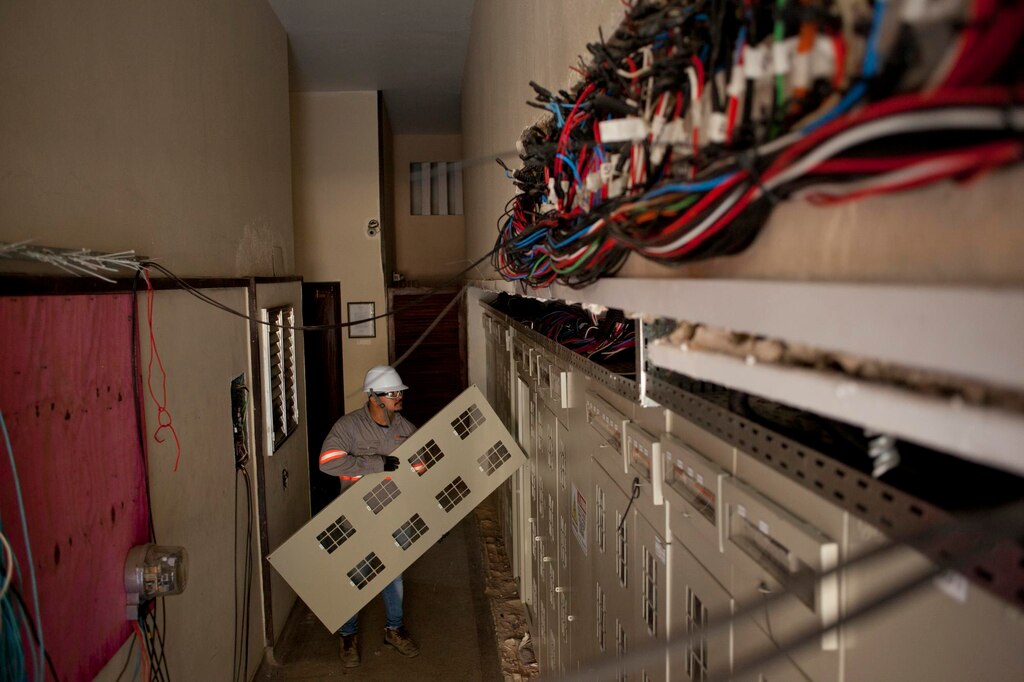
Planning is where a tidy, fault-free wiring CCTV system is won. Before buying kit, map camera positions, cable routes, recorder location, and power/network needs so you’re not redesigning on-site with the client watching the clock. For Manchester retrofits, assume real constraints: solid brick walls that don’t like chasing, limited voids, and loft runs that are easy for cable pulls but awkward for future access if you don’t leave a sensible route.
External trunking or conduit is often the most practical option on older terraces and semis, but it needs to look intentional and stay serviceable, not like an afterthought. Build in expansion from day one: extra draw wire, a spare run to key elevations, and a recorder location with space for an additional switch or larger PSU can turn a “two more cameras later” request into an easy upsell rather than a rewire.
Decide coverage and access before you commit to routes
Start by sketching each elevation and key internal routes, then decide which cameras are genuinely needed versus “nice to have”. Driveways and front approaches usually need identification-quality views, so position for faces and number plates rather than wide scenic coverage. Rear gardens often need fewer cameras but better lighting awareness, because IR bounce from fences, gutters, or soffits can ruin night footage.
Record where you can reach. Soffits, gables, and corners are common, but service access matters. If you can’t safely reach a camera without specialist access equipment, every adjustment becomes a cost. Finally, confirm how you’ll enter the building at each point, because a neat, sealed entry is often the difference between a professional install and a water ingress return visit in six months.
Cable route and recorder location checklist for faster installs
Your home-run point defines the whole job. Decide early where the NVR/DVR will live, where patching and power will sit, and how you’ll keep cables tidy and labelled for commissioning. In domestic settings, it’s tempting to put the recorder right next to the router, but that isn’t always best for ventilation, security, or noise.
- Recorder (NVR/DVR) location: secure, ventilated, and reachable for maintenance (not buried behind boxed-in pipework or clutter).
- Patching space: room for a PoE switch (if used), patch leads, and a sensible bend radius for incoming cabling.
- Power: dedicated socket provision, surge protection option, and a plan for UPS where the risk or client brief justifies it.
- Network: stable router connection, IP scheme, and space for future expansion without re-terminating everything.
- Cable management: labelled runs, separation from mains where required, and a route that can be re-accessed for fault-finding.
This checklist keeps the install predictable: clear cable paths, a recorder location you can actually service, and enough room to expand without a messy rework.
IP PoE vs HD coax: choose around the property, not the spec sheet
Choosing between IP PoE and HD coax (HD-TVI/HD-CVI/AHD) isn’t about “which is best” in isolation. It’s about what suits the property, the cable routes, and the expected upgrade path. IP PoE is often the go-to for modern installs because it simplifies power delivery, supports higher-end analytics, and keeps upgrades modular: swap a camera, keep the cable. Coax still earns its place on upgrades where existing runs are good and the client wants minimal disruption, especially in finished homes with solid walls where re-cabling would be costly.
From a trade perspective, distance and interference considerations matter more than marketing specs. Ethernet has practical limits depending on standards and installation quality, and long external runs may need careful planning or intermediate switching. Coax can sometimes tolerate certain legacy routes better but may introduce more complexity around power at the camera end.
If you’re taking over a site with existing security camera wiring, assess it properly rather than guessing. Check cable condition, routing, joins, and whether it’s worth reusing versus replacing. Also think about fault diagnosis: PoE makes it easier to test power and data from one end, while mixed coax/power arrangements can hide voltage drop issues until cold weather or night mode pushes load. The best choice is the one that gives the client reliable footage and gives you predictable installation and support time.
| Option | Best fit | Why it suits | Trade considerations |
|---|---|---|---|
| IP PoE | Fresh cable runs; modular upgrades | One cable carries power and data; easy to swap cameras and keep the cable | Easier end-to-end testing (power/data from one end); long runs may need careful planning or intermediate switching |
| HD coax (HD-TVI/HD-CVI/AHD) | Upgrades where good coax already exists; minimal disruption in finished homes | Can reuse existing runs and avoid costly re-cabling in solid-wall properties | May add complexity around power at the camera end; mixed coax/power can hide voltage drop issues until night load increases |
Choose the best wired CCTV system
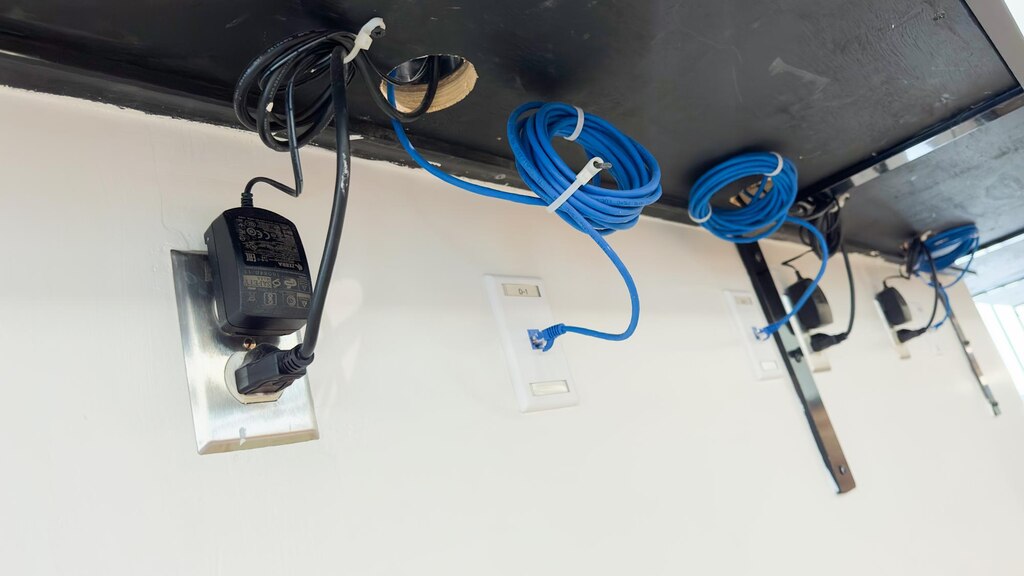
For installers, the best wired CCTV system is the one that records reliably every day, produces usable night footage, and commissions cleanly without compatibility surprises. That means stable firmware, consistent camera-recorder pairing, sensible app performance, and components that behave properly together under load. It also means the basics are done right: correct PSU sizing, correct PoE budget, appropriate storage, and a recorder that isn’t running hot in a closed cupboard.
Sourcing is part of the system design. Using authentic branded gear, matched accessories, and known-good cabling removes uncertainty and helps you standardise your installs across multiple jobs. As an authorised UK partner for Dahua and a distributor for other leading brands, CUCCTV focuses on genuine stock and consistent availability, which matters when you need to replicate a working spec across several properties or return quickly for an extra camera.
Spec the kit by job type (small home, larger home, mixed indoor/outdoor)
Specifying by job type keeps you consistent and helps you quote accurately. A small home job usually prioritises a few high-value views: front door, driveway, and rear access. You can often keep channels modest, focus on good low-light performance, and avoid overspending on unnecessary coverage. Larger homes and higher-risk sites tend to need more channels, better segmentation (separate views for entry points and perimeter), and a clearer plan for storage retention so the client’s expectations match what the system can deliver.
Practical spec points to standardise across quotes:
- Channels: choose an NVR/DVR with headroom (for example, plan for at least one or two spare channels for future additions).
- Storage: size for retention and bitrate; higher resolutions and 24/7 recording demand more capacity than motion-only setups.
- Lens and field of view: select based on identification needs (driveway plates vs wide garden overview), not just megapixels.
- Night performance: decide on IR vs white light based on environment and reflections; avoid over-IR near walls or soffits.
- Networking basics: confirm router location, cable runs, PoE budget, and whether a dedicated switch will simplify the build.
Keeping these points consistent makes your quotes easier to compare across jobs, and it reduces surprises during commissioning when real-world lighting and bandwidth come into play.
Wired CCTV system for Manchester home installs
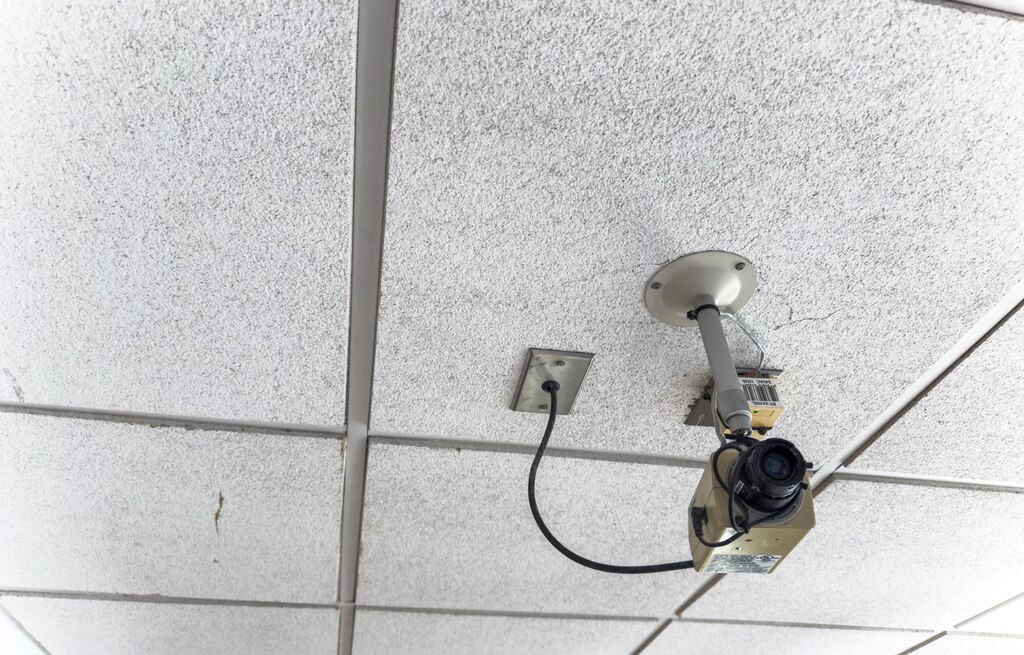
A repeatable domestic workflow reduces errors and keeps installs clean. The most reliable approach is to treat the job in phases: first fix for cable routes, second fix for termination and mounting, then configuration and handover. In first fix, keep routes logical and serviceable: avoid hidden joins, keep bends gentle, and protect any external sections properly. In second fix, mount cameras with consistent height and angle choices, terminate with the right connectors, and label everything so faults can be traced without tone-and-probe guesswork.
Then commission methodically: set recording profiles, confirm time/NTP, configure motion zones carefully, and test playback from the client’s device before you leave site. This sequence is simple, but it’s where most time is either saved or lost.
| Phase | Focus | Key actions mentioned |
|---|---|---|
| First fix | Routes and cable quality | Keep routes logical and serviceable; avoid hidden joins; keep bends gentle; protect external sections |
| Second fix | Mounting and termination | Mount consistent height/angles; terminate with the right connectors; label everything for easier fault tracing |
| Configuration and handover | Commissioning and client-ready testing | Set recording profiles; confirm time/NTP; configure motion zones; test playback on the client’s device before leaving |
Reliability add-ons that prevent “it’s gone offline again” call-backs
Home clients benefit from a few practical extras that protect the system from everyday disruptions. Surge protection is often overlooked, yet power disturbances are a common cause of random recorder issues and port failures, particularly where cabling runs externally or across outbuildings/garages. A UPS can be a straightforward upgrade for clients who value continuity, especially where the recorder is in a comms cupboard with the router. It also reduces the risk of file system corruption after repeated power cuts.
Secure recorder placement matters too. If the NVR is visible and easy to grab, the system is vulnerable even if the cameras are excellent. Finally, tidy labelling and basic test records (PoE draw, link status, camera names matching their actual locations) make your support faster and keep your professional standard obvious to the client.
Common wiring mistakes that create faults later
Most long-term faults come from small compromises made to “get it finished”. Bad joins hidden in loft insulation or behind external trunking often pass initial tests, then fail when temperature changes or moisture creeps in. Wrong terminations, especially rushed RJ45s, untwisted pairs, or inconsistent pin-outs, can create intermittent packet loss that looks like camera faults rather than cabling.
Voltage drop is another frequent culprit: long runs with inadequate cable, under-sized power supplies, or too many devices on one feed can cause night mode to trigger instability just when IR or white light draws more power. Earthing and bonding practices also matter, particularly with external runs and metal conduit, because poor handling can contribute to surge damage and unexplained resets.
Steps to reduce repeat faults on typical domestic jobs:
- Eliminate hidden joins: run continuous cable where possible; if a join is unavoidable, use an accessible, IP-rated enclosure and document it.
- Terminate properly: maintain pair twist to the termination, use quality connectors, and test each run with appropriate tools.
- Respect bend radius and strain relief: tight bends and stretched cable create intermittent issues that are painful to diagnose later.
- Plan power honestly: verify PoE budgets and PSU capacity, and consider surge protection for exposed routes and key equipment.
This is the difference between a system that works today and one that stays stable through winter, wet weather, and the extra load of night mode.
Outdoor wired CCTV camera system details
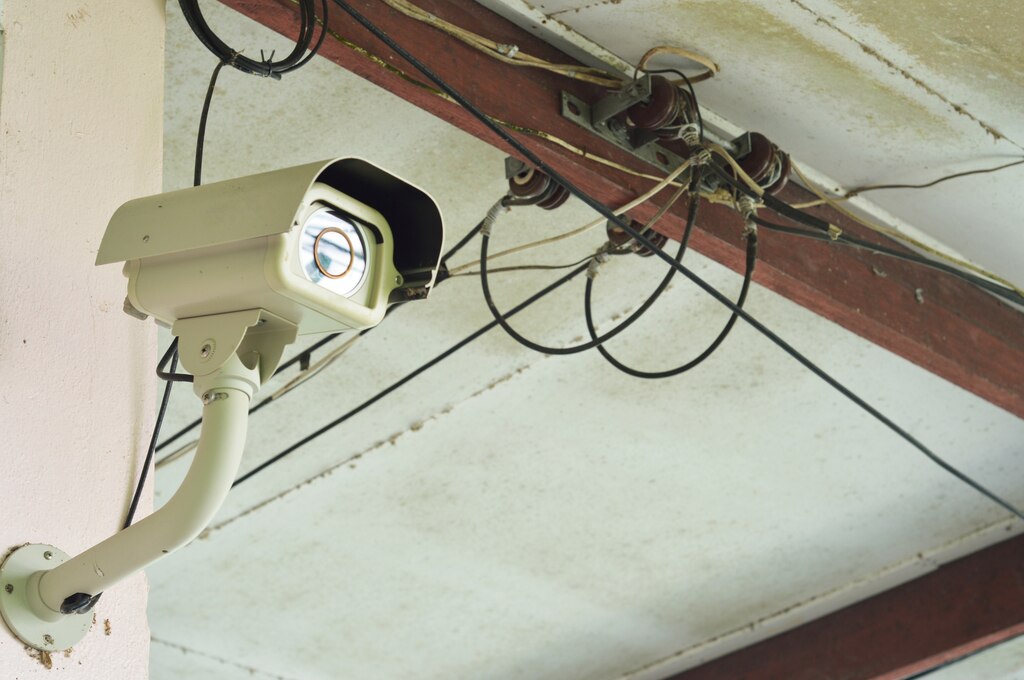
An outdoor wired CCTV camera system succeeds or fails on the small weatherproofing details. External cable entries must be designed to keep water out over years of wind-driven rain, not just to look neat on installation day. Use UV-rated cabling where exposed, choose IP-rated junction boxes that match the site conditions, and use the right glands so the cable sheath is actually sealed.
Where you enter the building, aim for a sensible, protected route and add a drip loop where appropriate, because water can track along cable and find the easiest path inside. Every exterior decision should also consider serviceability: a perfectly hidden route that can’t be accessed is a future problem when a camera needs replacing or an angle needs adjusting.
Outdoor performance: lighting and mounting geometry
Performance outdoors is heavily influenced by lighting and mounting geometry. If you mount too low, you invite tampering and reduce coverage; too high and you lose identification detail and create awkward angles for faces. IR reflection is one of the most common issues on soffits and near gutters. If the camera is too close to a surface, night footage can bloom and wash out.
Driveways often benefit from careful angle control to avoid headlights blowing out the image, while gardens and side returns may need thoughtful placement to prevent motion triggers from foliage. Where risk is higher, consider tamper-resistant mounting, protected cable transitions, and avoiding obvious cable runs that advertise where the system can be cut.
Exterior cable protection for Greater Manchester weather that looks professional and lasts
A durable finish is about matching the protection method to exposure and aesthetics. Conduit is usually the most robust choice for vulnerable runs and offers better resistance to impacts, but it needs careful routing and neat fixings to avoid looking industrial on domestic brickwork. Trunking can be cleaner visually and quicker to install, particularly on straight runs, but it must be fitted properly with correct corners, consistent clipping, and allowances for thermal movement.
Across Manchester and Greater Manchester, external routes are often unavoidable due to solid internal walls, extensions, or finished interiors where chasing isn’t an option. In those cases, set expectations with the client early and show them the route plan so they understand why a particular line is chosen. A well-planned external run can look intentional when it follows architectural lines, avoids unnecessary crossings, and uses matched fittings. If you’re balancing aesthetics and durability, consider where ladders and bins pass, where gates swing, and where sun exposure is strongest, because those are the spots that punish poor cable protection.
Frequently Asked Questions related to wiring CCTV system
How do I decide between IP PoE and coax when wiring a CCTV system in an older Manchester house?
Start with the building, not the camera spec. If you’re doing fresh cable runs (especially through lofts, down internal drops, or new conduit), IP PoE is usually the cleanest approach because one cable carries both power and data and future upgrades are straightforward. If the property already has good-quality coax runs in place and the client wants minimal disruption, HD coax can be a practical upgrade path, provided the cable condition is verified and there aren’t hidden joins or water-damaged sections.
A quick on-site check helps you decide: can you route Cat5e/Cat6 neatly without chasing solid brick? Is the existing coax continuous, labelled, and accessible at both ends? If you expect the client to add cameras later or wants analytics features that are typically stronger in IP ranges, PoE often wins on flexibility. If the main goal is to refresh image quality without re-cabling, coax can be the more predictable “leave the fabric of the house alone” option.
What is the best place to locate the NVR/DVR in a wired CCTV system?
The best location is secure, ventilated, and serviceable. You want it somewhere discreet enough that it’s not obvious to visitors, but also accessible for you (or the client) to check indicators, reseat a plug, or replace a hard drive without dismantling half a cupboard. Under-stairs cupboards, a utility room, or a small comms cabinet often work well in domestic installs.
Practical considerations matter more than convenience: avoid sealed, hot spaces; avoid placing it where it can be easily unplugged; and plan for tidy cable entry so the recorder area doesn’t become a spaghetti junction. If the router location is awkward, you can still keep the recorder secure by running a network feed to it, rather than forcing the recorder to sit in the most visible spot in the home.
How can I prevent moisture and water ingress on outdoor CCTV cable entries?
Think in layers: cable type, enclosure choice, gland sealing, and entry geometry. Use UV-rated cable where it’s exposed to sunlight, and use IP-rated junction boxes and glands that actually seal around the cable sheath (not just around the inner cores). Where the cable enters the building, seal the entry point properly and consider a drip loop so water doesn’t track along the cable and into the hole.
A common real-world fix is simply changing the route slightly so the entry is under a small overhang, or ensuring the cable approaches from below rather than above. Also keep joins out of “wet zones” where possible. If a join is unavoidable, put it in an accessible IP-rated enclosure and document its location so future fault-finding is quick and non-destructive.
Why do wired CCTV cameras go offline intermittently if the cabling looks fine?
Intermittent dropouts are often termination, power, or environmental issues rather than obvious cable damage. With IP PoE, poorly crimped RJ45s, too much untwisted pair at the termination, or inconsistent pin-outs can cause packet loss that shows up as random disconnects. With coax-plus-power setups, voltage drop can create instability that only appears at night when IR or white light engages and power draw increases.
Temperature and moisture also change behaviour over time: a marginal join that passed tests on a dry day can fail in cold, wet weather. The fastest way to narrow it down is to test each run properly (continuity and performance, not just “it links”), confirm PoE budget or PSU headroom under load, and check for hidden joins in lofts, behind trunking, or inside poorly sealed boxes.
How much spare capacity should I build into a wiring CCTV system for future expansion?
As a practical baseline for domestic installs, aim for at least one or two spare recorder channels and enough physical space and power to add a switch or larger PSU later. This matters because clients often return for “just one more camera” once they’ve lived with the system through winter and darker evenings.
Expansion planning is also about cabling and routes: leaving a draw wire in conduit, running an extra cable to a key elevation, or choosing a recorder location with tidy patching space can turn a future add-on into a quick half-day job rather than a disruptive rewire. If you build in that flexibility at first fix, you protect your install quality and make upgrades profitable rather than painful.
If you want a reliable spec that installs cleanly and performs well long-term, CUCCTV can help you build it around the property and the brief. Visit our Manchester or Huddersfield branch for practical product advice, or set up a trade account for dedicated support, compatible kit sourcing, and consistent stock across cameras, recorders, cabling, and accessories. Tell us what you’re installing and the key site constraints, and we’ll help you put together a wiring CCTV system and wired setup you can fit confidently and support with minimal hassle.
