
Blog
CCTV Kit Mistakes Most Buyers Make Before They Purchase


Key Takeaways
Buying the wrong CCTV kit is costly; understanding compatibility, storage, and feature requirements before purchase saves Manchester homeowners and small businesses from expensive errors.
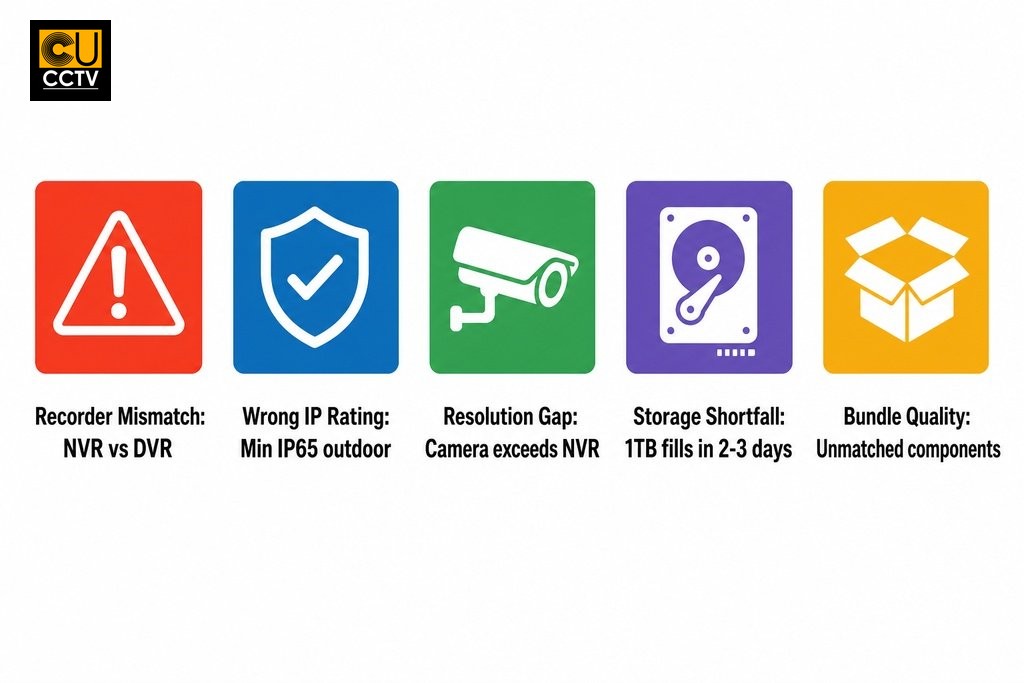
- IP cameras require an NVR and analogue cameras require a DVR; mixing the two prevents recording entirely, so confirming your recorder type before purchasing any cameras is essential.
- Always check that your recorder supports the resolution and frame rate of your cameras; pairing 4K cameras with a 1080p recorder means you will never see the image quality you paid for.
- Outdoor cameras in the North West need at least an IP65 rating to handle typical rain and weather; using an indoor housing outside causes lens fogging, warping, and circuit board corrosion over time.
- Pre-packaged CCTV bundles may include mismatched components or insufficient storage; always calculate the recording duration you need based on camera count and resolution before committing to a bundle.
- Carry out a brief site assessment before purchasing to confirm camera count, cable run lengths, power options, and IP rating requirements; these answers determine the right kit for your property.
Choosing a CCTV kit feels straightforward until the components arrive and something does not work as expected. For homeowners and small business owners across Greater Manchester and the wider North West, the most frustrating mistakes are rarely made during installation. They happen earlier, at the point of selection, when buyers are comparing specs, weighing up bundles, and trying to match equipment to a property they have not yet surveyed properly. Getting this stage wrong is expensive to fix and, in many cases, means starting again from scratch.
This guide covers the pre-purchase decisions that cause the most problems: compatibility mismatches, wrong features for the property, bundle selection errors, and storage oversights. Understanding these pitfalls before you spend anything is the most useful preparation you can make.
Table of Contents
Why Most CCTV Mistakes Happen Before Installation
Most buyers assume that if something goes wrong with a CCTV system, it will show up during installation. In practice, the errors that cost the most time and money are locked in at the moment of purchase. An incompatible recorder, a camera with the wrong housing for outdoor use, or a bundle with insufficient storage cannot be fixed by repositioning a bracket or tightening a cable. They require returning products, reordering, and sometimes replacing entire portions of a system.
Installation mistakes are often correctable on-site with basic tools. Pre-purchase mistakes mean the product itself is wrong for the job. Research from the College of Policing, which reviewed 76 studies, found that CCTV was associated with a 13% decrease in crime compared to areas without it, but also noted that implementation failures were consistently linked to how systems were specified before deployment. The kit selection stage is where effectiveness is won or lost, long before a camera is ever mounted.
Camera Kit Compatibility Issues That Catch Buyers Off Guard
One of the most common problems is assuming that any camera will work with any recorder. IP cameras require an NVR (Network Video Recorder), while analogue cameras require a DVR (Digital Video Recorder). Mixing the two prevents the system from functioning and can, in some configurations, damage equipment. Buyers who assemble a kit from different sources frequently discover incompatibilities only after unpacking everything.
Purchasing cameras and recorders from different product generations adds another layer of risk. Newer cameras may use compression formats or communication protocols that older recorders do not support. Even within a single brand, a recently released camera may not be fully compatible with a recorder from two or three years earlier. Buying from an authorised distributor that stocks matched, current-generation equipment from the same manufacturer is one of the most effective ways to avoid this problem entirely.
NVR vs DVR: Which Recorder Do You Actually Need?
NVRs work with IP cameras over a network connection; DVRs work with analogue cameras over coaxial cable. Connecting the wrong camera type to a recorder means the system will not record, and there is no workaround that does not involve replacing a core component.
Some hybrid DVRs can accept certain HD analogue formats such as HDCVI or AHD, but these have their own compatibility requirements and are not universally interchangeable. Before purchasing any recorder, confirm the exact signal type your cameras output. If you are unsure, speak to a supplier with genuine technical knowledge across multiple product lines rather than one that simply lists specifications on a page.
| Feature | NVR (Network Video Recorder) | DVR (Digital Video Recorder) |
|---|---|---|
| Compatible camera type | IP cameras | Analogue cameras |
| Connection method | Network / Ethernet | Coaxial cable |
| Power delivery option | PoE (Power over Ethernet) supported | Separate power supply required |
| Typical image quality | High (up to 4K and beyond) | Moderate (varies by analogue format) |
| Hybrid format support | Not applicable | Some models support HDCVI or AHD |
| Cross-compatibility with other type | Not compatible with analogue cameras | Not compatible with IP cameras |
Resolution and Frame Rate: Check Both Together
Every recorder has a maximum supported resolution per channel. If your cameras output at a higher resolution than the recorder supports, it will either downscale the image or refuse to display it at full quality. Buying 4K cameras and pairing them with an NVR rated for 1080p per channel means you will never see the image quality you paid for.
Frame rate is equally important and is often overlooked. A camera capable of 25 frames per second means very little if the recorder can only handle 15 frames per second at that resolution. A study published in the European Journal on Criminal Policy and Research analysed over 251,000 crimes recorded on the British railway network and found that CCTV footage was frequently limited in its usefulness as evidence, partly because of recording quality issues that originate at the kit specification stage. The resolution and frame rate decisions you make before purchase directly affect what your footage is worth later.
Selecting the Wrong Features for Your Property
Buyers often choose features based on what sounds impressive rather than what their site actually needs. Optical zoom is useful for monitoring a specific distant point, such as a gate at the far end of a commercial yard, but unnecessary for covering a residential hallway or small car park where a fixed wide-angle lens performs better. The wrong lens type means either missing coverage you need or paying for a capability you will never use.
A common mismatch for small businesses in Manchester city centre and surrounding areas such as Salford, Trafford, and Stockport is expecting a two-camera kit to monitor a large yard with multiple entry points. Coverage gaps are a planning problem, not a mounting problem, and should be identified before purchase.
What IP Ratings Actually Mean for CCTV Cameras
An IP rating tells you how resistant a camera is to dust and moisture. For most outdoor environments in the North West, where rainfall is frequent and winters can be harsh, you need at least IP65 (dust-tight and resistant to low-pressure water jets). IP67 adds tolerance for short-term immersion.
Some buyers purchase indoor dome cameras for outdoor use because they are cheaper or because the product image looked suitable. A housing not rated for outdoor conditions becomes a problem when the lens fogs internally, the housing warps, or the circuit board corrodes after a wet Manchester autumn. Always verify the IP rating against the intended environment, not just the product photograph.
Night Vision Range: What the Spec Sheet Does Not Tell You
Infrared night vision range figures represent performance under ideal conditions, typically complete darkness with no obstructions. In a real outdoor environment, that range can be significantly reduced by ambient light, reflective surfaces, fog, or objects at varying distances. A camera rated for 30 metres of IR range under ideal conditions may deliver usable footage at closer to 15 to 20 metres in an actual garden or car park.
High-contrast environments, such as a driveway with a bright security light at one end and complete darkness at the other, can cause exposure problems that wash out detail. Cameras with adjustable IR intensity or wide dynamic range (WDR) handle these conditions better. Check for this before purchase rather than discovering it afterwards.
CCTV Bundle Selection Errors and How to Spot Them
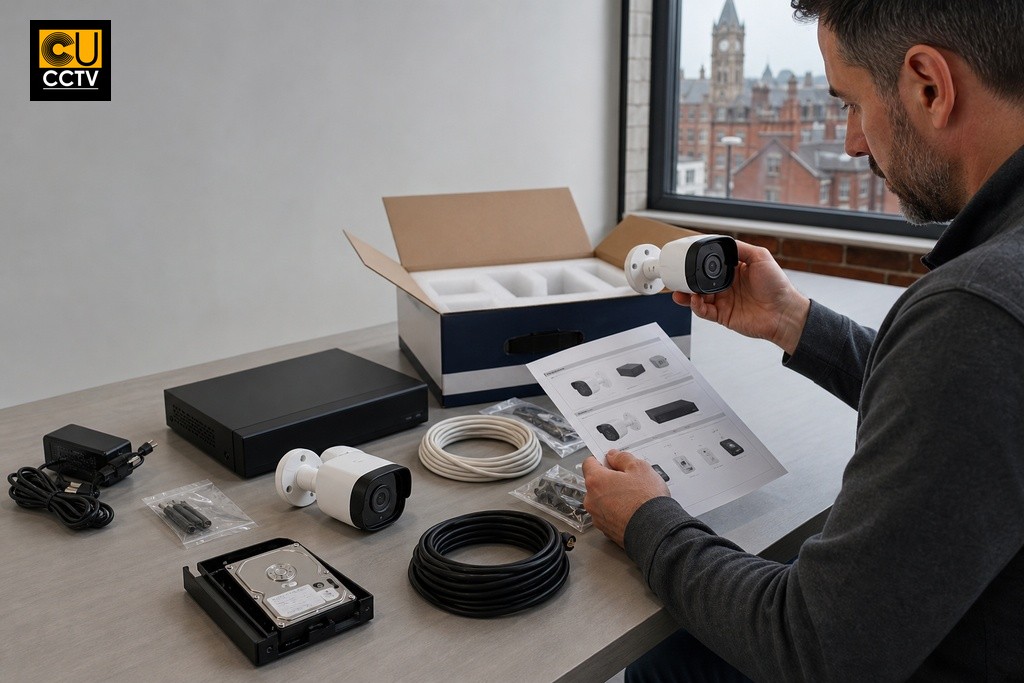
Pre-packaged bundles are appealing because they suggest convenience and value. In many cases they deliver both, but only when the components are well matched and appropriate for your use case. A common bundle selection error is assuming that because a kit comes together as a package, everything inside it is of equal quality. In reality, some bundles pair a capable recorder with entry-level cameras, or include cameras at a higher resolution than the bundled recorder can fully process.
Storage is another area where bundles often fall short. A kit with a 1TB hard drive may be advertised as providing several days of continuous recording, but that figure changes depending on the number of cameras, the resolution, the frame rate, and whether motion-only recording is enabled. Always calculate the recording duration you actually need based on your camera count and preferred resolution, then verify the bundled storage meets that requirement rather than relying on the headline claim alone.
Storage and Connectivity Oversights That Cause Problems Later
Hard drive capacity is consistently underestimated. A four-camera system recording at 1080p with continuous full-frame-rate recording will fill a 1TB drive in roughly two to three days, depending on compression settings. H.264 compression consumes storage significantly faster than H.265. Understanding how storage scales with camera count and resolution is essential before committing to a kit, and it is one of the most common oversights that only becomes apparent after the system has been running for a few days.
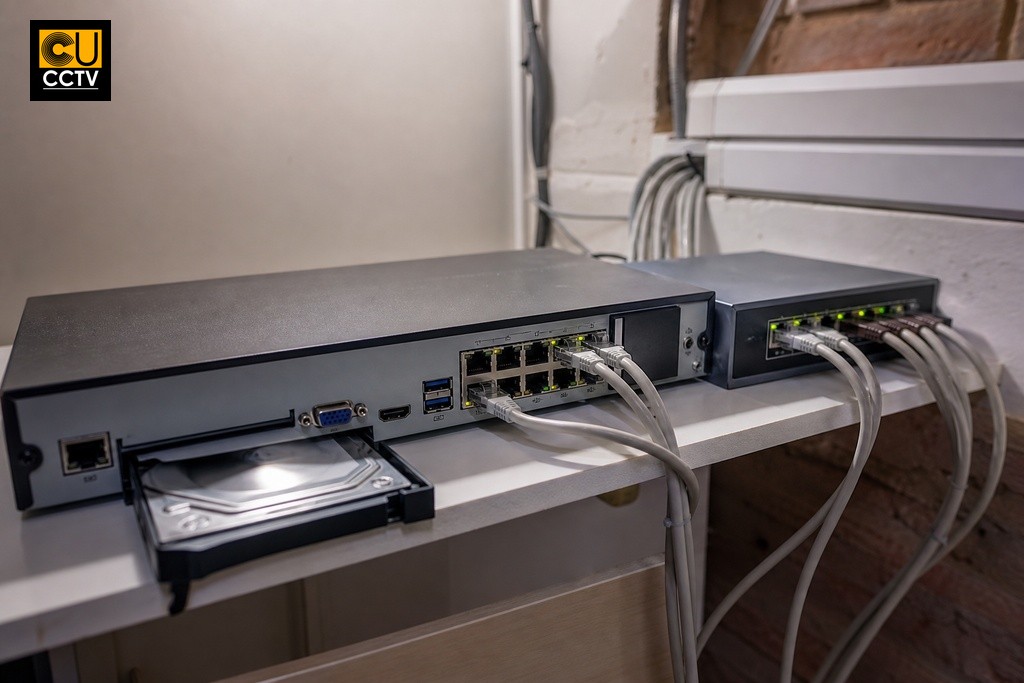
Network infrastructure is equally overlooked. IP camera systems require adequate bandwidth and, where PoE (Power over Ethernet) cameras are used, a compatible PoE switch with sufficient port count and power budget. Buyers who plan to view footage remotely also need to consider their router’s upload speed and whether port forwarding or cloud relay is supported by the chosen recorder. These are wired cctv kit considerations that belong in the planning conversation before a purchase is made.
| Factor | Lower Storage Impact | Higher Storage Impact |
|---|---|---|
| Compression format | H.265 | H.264 |
| Recording mode | Motion-only recording | Continuous recording |
| Resolution | 1080p or lower | 4K or higher |
| Frame rate | Lower fps (e.g. 10 to 15 fps) | Full frame rate (e.g. 25 fps) |
| Number of cameras | Fewer channels active | All channels recording simultaneously |
What to Check Before You Commit to a Kit in Manchester
A brief site assessment before purchasing will prevent the majority of problems covered in this article. For a small domestic installation, whether you are in a terraced property in Didsbury, a semi-detached in Bolton, or a commercial unit in the Northern Quarter, you do not need a professional survey. You do, however, need clear answers to a handful of practical questions:
- How many entry points, windows, and vulnerable areas need coverage?
- What is the longest cable run from the recorder to the furthest camera position?
- Is mains power available at each camera location, or is PoE required?
- Will any cameras be exposed to weather, and if so, what IP rating is needed?
- What is the primary purpose: deterrence, live monitoring, or post-incident evidence review?
The answers determine your camera count, recorder channel requirement, cable type, power specification, and storage needs. For larger or mixed-use properties, the variables multiply quickly. In those cases, speaking to a supplier for technical guidance before placing an order is the most reliable way to avoid buying a kit that falls short of what the site actually demands.
How to Get the Right Kit Without Second-Guessing Your Choice
Working with a knowledgeable UK supplier who stocks authorised products from established manufacturers removes a significant amount of guesswork. When cameras and recorders come from the same authorised supply chain, compatibility is already verified. The products are current generation, carry genuine warranties, and are supported by technical documentation that matches what is actually in the box.
At CUCCTV, every trade account customer is assigned a dedicated account manager who can match kit specifications to your exact site requirements. Whether you are working through a dahua cctv kit guide to understand which Dahua product lines suit your property, or simply need someone to confirm that your planned camera and recorder combination will work before you order, that personalised support is available without any pressure to add components you do not need. The goal is to help you build a system that works on day one and continues to deliver reliable coverage without surprises. If you are ready to make a well-informed purchase, get in touch with the CUCCTV team and let us help you get it right from the start.
Frequently Asked Questions About CCTV Kits
Can I mix IP cameras with a DVR recorder?
No. IP cameras require an NVR, not a DVR. A DVR is designed for analogue cameras communicating over coaxial cable, and connecting an IP camera to it will result in no recording. Confirm your recorder type before purchasing any cameras.
How much storage do I need for a four-camera CCTV system?
A four-camera system recording at 1080p continuously can fill a 1TB drive in roughly two to three days. For longer retention, use a larger drive or enable motion-only recording, which reduces storage consumption considerably without losing coverage during quiet periods.
What IP rating do outdoor CCTV cameras need in Manchester?
At minimum, IP65 is recommended for outdoor use in the North West. This confirms the camera is dust-tight and resistant to low-pressure water jets, which is sufficient for typical rain and weather exposure. IP67 offers additional protection where occasional immersion is a risk.
Why does my CCTV camera look worse at night than the spec suggests?
Manufacturer IR range figures are measured under ideal conditions. In real environments, ambient light, reflective surfaces, and varying distances can significantly reduce the effective range. Cameras with adjustable IR intensity or wide dynamic range (WDR) handle mixed lighting conditions more reliably.
Is a pre-packaged CCTV bundle always a good choice?
Bundles can offer good value when the components are well matched, but not always. Some kits pair a capable recorder with lower-quality cameras, or include less storage than the camera count realistically requires. Always verify that the bundled hard drive capacity matches your intended recording duration and resolution before buying.
