
Blog
Dahua Motion Detection Settings That Cut False Alerts

Key Takeaways
Configuring Dahua motion detection settings correctly, especially enabling Smart Motion Detection, is the most effective way to eliminate false alerts and keep your CCTV system reliable.
- False motion alerts are almost always caused by incorrect configuration rather than faulty hardware. Adjusting your Dahua motion detection settings properly transforms your system from a constant noise source into a reliable early warning tool.
- Smart Motion Detection (SMD) is the single most impactful upgrade available. It classifies moving objects as humans or vehicles and ignores environmental triggers such as rain, foliage, shadows, and animals, substantially cutting unnecessary notifications.
- Detection zones let you restrict which parts of the camera frame are monitored. Excluding areas prone to irrelevant movement, such as busy roads, swaying trees, or a neighbour’s washing line, removes a large proportion of false alerts immediately.
- Sensitivity should be calibrated for low light conditions as well as daytime. Settings that work in summer daylight often generate excessive overnight alerts in autumn and winter, particularly in wetter and more overcast climates like Greater Manchester.
- Change one setting at a time and test alerts between each adjustment. This makes it straightforward to identify which change made the difference and avoids compounding errors across a multi-camera setup.
If your Dahua camera sends notifications every time a leaf blows past or a car headlight sweeps across the wall, you are not alone. False alerts are one of the most common frustrations for property owners with CCTV, and the cause is almost always configuration rather than faulty hardware. Getting your Dahua motion detection settings right can transform a noisy, easy-to-ignore system into one that only alerts you when something genuinely warrants attention. This guide walks through the key settings in a logical order, so you can make informed adjustments rather than guessing your way through menus.
Whether you are protecting a home in Greater Manchester, a small commercial unit on a trading estate, or a rear car park in the city centre, the principles here apply across the Dahua range. The aim is not just to walk you through the menus but to help you understand why each setting exists and what it actually does when you change it.
Table of Contents
Why False Motion Alerts Undermine Your CCTV System
When a camera triggers too many alerts, most people stop responding to them. This is commonly called alert fatigue, and it is arguably the biggest single threat to the usefulness of a CCTV system. A camera that cried wolf a hundred times last week offers very little protection if you have switched off notifications or learned to swipe them away without looking. The system is still recording, but its early warning function has been quietly disabled by your own frustration with it.
There is also a practical cost. Storage fills up faster when recordings are triggered by irrelevant motion, and reviewing footage becomes tedious rather than a quick check. For small business owners especially, time spent sifting through hours of tree branches and passing lorries is time away from running the business. Sorting out your detection settings properly is genuinely worth the hour or so it takes.
How Dahua Motion Detection Works
At its most basic level, a Dahua camera monitors for changes in the image and triggers an alert when those changes exceed a defined threshold. This pixel-level analysis is reliable for detecting that something has moved, but it has no way of knowing what that something is. A gust of wind moving a tree, a cloud shadow crossing a driveway, or rain on a lens will all register as motion just as convincingly as a person walking through a gate.
It is also worth knowing that motion detection can be configured at both the camera level and the NVR level, and settings do not always sync automatically between the two. If you adjust sensitivity on the NVR without reviewing the individual camera settings, alerts may continue to behave unexpectedly. Each device needs to be reviewed independently, and this is a step many self-installers miss on first setup.
Pixel-Based Detection Versus Smart Motion Detection
Basic pixel-based detection is what most cameras default to out of the box. It is straightforward and requires minimal processing power, but it is inherently indiscriminate. Any change in the image that crosses the sensitivity threshold will trigger a recording or notification, regardless of what caused it.
Dahua’s Smart Motion Detection (SMD) takes a fundamentally different approach. Rather than simply detecting change, SMD uses AI-assisted classification to identify whether the moving object is a human or a vehicle before deciding whether to send an alert. This is the single most impactful improvement you can make to a Dahua system that is generating too many false alerts. A full dahua ai features explained breakdown, including differences in platform capability across product lines, is covered separately.
| Feature | Pixel-Based Detection | Smart Motion Detection (SMD) |
|---|---|---|
| How it works | Triggers on any image change above the sensitivity threshold | Classifies moving objects as humans or vehicles before alerting |
| Environmental false alerts | High — rain, shadows, foliage, and headlights all trigger it | Low — environmental movement is largely ignored by the classifier |
| Processing requirement | Low — works on most camera models | Higher — requires compatible camera and NVR firmware |
| Seasonal sensitivity | Requires manual review each season | More consistent across seasons due to shape-based classification |
| Best suited for | Controlled indoor environments with minimal background movement | Outdoor properties with variable weather and passing traffic |
Setting Up Detection Zones for Your Property
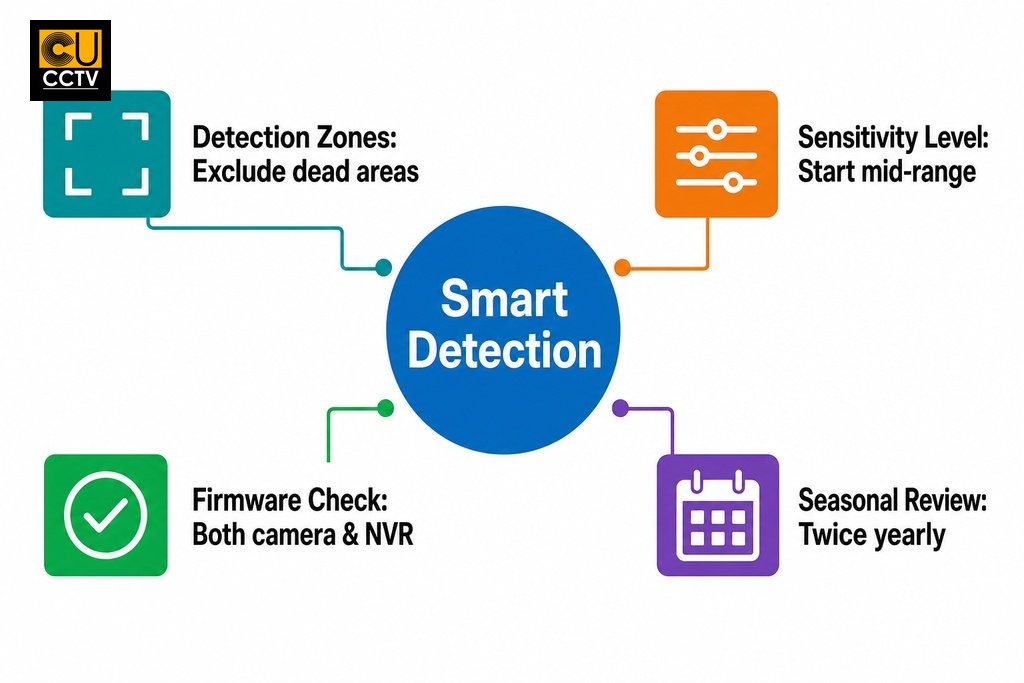
Detection zones are one of the most underused tools for reducing false motion alerts. Rather than analysing the entire frame, you define specific regions the camera should monitor and exclude areas likely to generate irrelevant movement. A front-facing camera on a terraced or semi-detached property, for example, might pick up every vehicle passing on a busy road if the full frame is active. Restricting the zone to cover only the driveway entrance and front path immediately removes most of that noise.
The shape and position of your zone should reflect where a genuine threat would realistically appear. For a rear garden, that typically means drawing a zone across the area between the fence line and the house, excluding overhanging trees or a neighbour’s washing line. For a car park, whether attached to a retail unit in Trafford, a warehouse in Salford, or an industrial estate further out, focus on entry and exit points and the area immediately around vehicles rather than the entire lot. Each detection region can be assigned its own sensitivity level, giving you granular control over how each part of the frame responds to change.
Calibrating Sensitivity Without Missing Real Events
Sensitivity controls how much pixel change is required before the system registers motion. A high sensitivity setting will pick up subtle changes such as the flicker of a distant light source or a curtain shifting through a window. A low setting may miss a genuine intruder if they move slowly or stay partially out of frame. For most residential and small commercial properties across Greater Manchester, a mid-range sensitivity setting is the best starting point.
The most common mistake is setting sensitivity too high and then leaving it. In still, well-lit conditions this might work adequately, but once the weather changes or daylight shortens, the camera starts reacting to things it was previously ignoring. Overnight false alerts are frequently the result of sensitivity being calibrated during the day and never re-examined for low-light conditions, when image noise becomes more pronounced.
Adjusting Detection Settings for Greater Manchester Weather
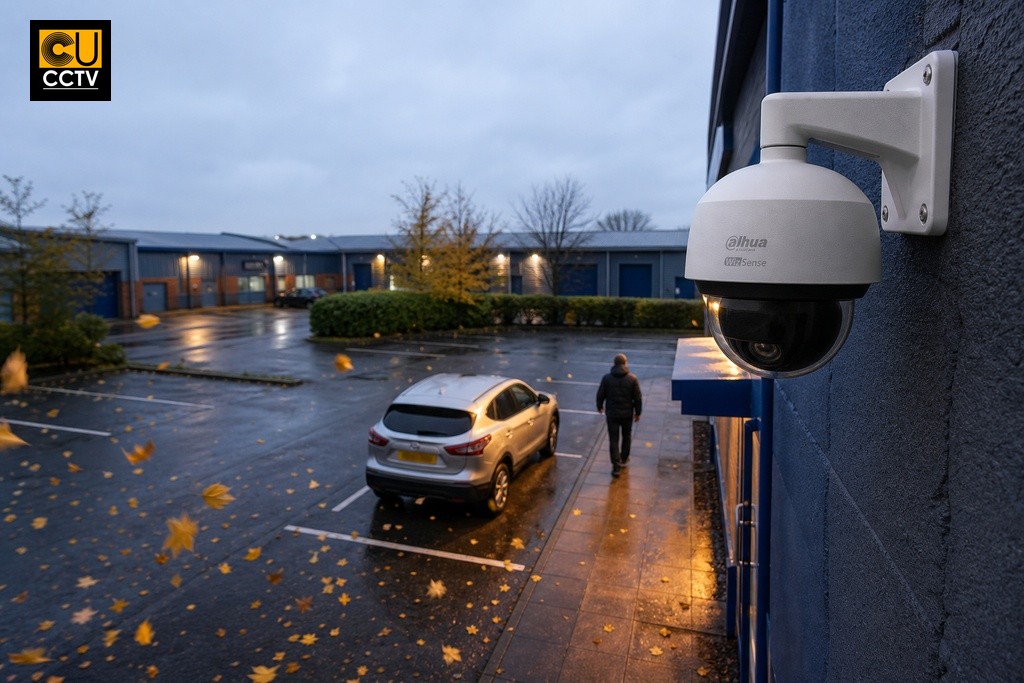
Greater Manchester’s weather introduces particular challenges for outdoor motion detection. Heavy rain creates consistent pixel movement across the entire frame. The overcast skies typical of the North West mean light shifts throughout the day in ways that can register as change without anything actually moving. Autumn brings wind-driven foliage movement to areas that were static in summer, and fog or low-lying mist can alter contrast enough to trigger basic pixel-based detection without cause.
Reviewing your settings at the start of autumn and again in late spring is a practical habit that will keep your system performing reliably across seasons. If you are running SMD, some of these issues are handled more automatically because the classifier is looking for shapes rather than raw pixel change. That is one reason upgrading from basic detection is worth considering for outdoor properties in this part of the country.
Using Human and Vehicle Detection to Filter Irrelevant Movement
Enabling human and vehicle detection is the most effective way to significantly reduce environmental false alerts. When SMD is active, the camera or NVR classifies motion events by type, primarily humans and vehicles, and only triggers an alert when one of those categories is identified. Animals, blowing leaves, shadows, and airborne debris are ignored because they do not match the defined target shapes.
According to Dahua’s official support documentation, setting general motion detection sensitivity to zero while keeping SMD enabled allows the system to record only human or vehicle detections, which can substantially reduce false alerts caused by environmental movement such as wind or foliage.
Before enabling SMD, confirm whether your specific camera model and NVR firmware version actually support the feature, as it must be supported at both ends of the system to function correctly. You can verify this through the official Dahua UK support guide for NVR-level SMD setup or the companion guide covering camera-level Smart Motion Detection configuration. If your current hardware does not support it, that is useful information when considering an upgrade. How dahua wizsense vs wizmind differ in capability and use case is worth exploring if you are evaluating new hardware.
What to Check Before and After Changing Detection Settings
Before making any changes, confirm that your NVR firmware is up to date, as older versions may not support current SMD features or may behave inconsistently with newer camera models. Also review your recording schedules, since detection and alert actions can be limited to specific time periods. Changing sensitivity during a restricted recording window may give you inaccurate test results.
Work through this checklist before saving any changes:
- Confirm firmware is current on both the NVR and individual cameras.
- Note which recording schedules are active and how they overlap with detection zones.
- Change only one setting at a time and test alerts between each adjustment.
- Review alarm logs (Alarm Info) within the Dahua interface to audit SMD event records after testing.
| Stage | Action | Why It Matters |
|---|---|---|
| Before changes | Update NVR and camera firmware | Older firmware may not support SMD or may behave inconsistently |
| Before changes | Review active recording schedules | Detection changes tested outside an active schedule may give misleading results |
| During changes | Adjust one setting at a time | Isolates the cause if something behaves unexpectedly after the change |
| During changes | Test alerts between each adjustment | Confirms each change is working before moving on to the next |
| After changes | Review Alarm Info logs in the Dahua interface | Provides an audit trail of SMD events to verify the configuration is working correctly |
Changing only one setting at a time is easy to overlook but genuinely important. If you adjust sensitivity, redraw detection zones, and enable SMD in one session without testing between steps, you will have no way of knowing which change made the difference if something goes wrong. For commercial sites across Greater Manchester with multiple cameras whose detection zones overlap, the interaction between settings adds another layer of complexity. In those cases, it is worth asking a qualified installer or the CUCCTV technical support team to review the configuration before committing to it.
How CUCCTV Supports Customers With Dahua Setup
CUCCTV is an authorised UK Dahua partner, which means customers purchasing Dahua equipment through CUCCTV have access to genuine products alongside product-specific guidance from a team that knows the range properly. That distinction matters when comparing camera models with different SMD capabilities, because the right advice at the point of purchase can save a significant amount of configuration effort after installation. Not every Dahua camera supports the same AI feature set, and a supplier who understands those differences can help you choose hardware that will actually do what you need it to do.
For trade customers, CUCCTV assigns a dedicated account manager to each account, providing a direct point of contact for project consultation and technical support. This is particularly useful for installers managing multi-camera commercial installations, whether that is a retail development in Manchester city centre, a logistics site in Bolton, or a residential scheme in Stockport, where getting detection settings right across the full system is critical. Whether you are a homeowner working through your first Dahua setup or a professional installer planning a larger project, the team at CUCCTV is available to help. If you have questions about your current configuration or are considering a system that better supports smart detection features, get in touch with the CUCCTV team directly and speak with someone who can give you a straight answer.
Frequently Asked Questions About Dahua Motion Detection Settings
What causes Dahua cameras to send false motion alerts?
False motion alerts are almost always caused by configuration rather than faulty hardware. Pixel-based detection cannot distinguish between a person and environmental movement such as rain, wind-driven foliage, shifting shadows, or passing vehicle headlights. Anything that changes the image enough to cross the sensitivity threshold will trigger an alert.
What is the fastest way to reduce false alerts on a Dahua system?
Enabling Smart Motion Detection (SMD) is the most effective single step. SMD classifies moving objects as humans or vehicles and ignores everything else, so environmental triggers such as leaves, animals, and shadows are filtered out automatically rather than generating unnecessary notifications.
Can I configure different sensitivity levels for different parts of the camera frame?
Yes. Dahua allows you to draw multiple detection zones within a single camera view, and each zone can be assigned its own sensitivity level. You can set a lower sensitivity near a hedge prone to wind movement, for example, while keeping a higher sensitivity closer to an entry point.
Do Dahua motion detection settings need to be changed with the seasons?
Reviewing settings at the start of autumn and again in late spring is good practice. Seasonal changes in light levels, foliage, rain frequency, and fog can all affect how pixel-based detection behaves, and settings that worked well in summer may generate excessive alerts once the weather shifts.
Does SMD need to be enabled on both the camera and the NVR?
Yes. Smart Motion Detection must be supported and enabled at both the camera level and the NVR level to function correctly. If either device does not support SMD, the feature will not work as intended. Checking firmware compatibility on both before making changes avoids configuration errors.
What should I do if my Dahua hardware does not support Smart Motion Detection?
The most practical short-term options are to tighten detection zones, lower sensitivity, and adjust recording schedules to reduce unnecessary triggers. For a longer-term solution, upgrading to hardware that supports SMD will provide substantially better results.
